Limit handoff.
When one agent hits its limit, another picks up in the same project with a brief of what happened.
Scene by scene.
Each line is a caption from the film. Click one to jump there.
About Limit handoff.
Subscription limits end sessions at the worst moment — in the middle of a change, with half the files edited. PaneScale notices when an agent runs into its limit and keeps the work going: on another account of the same CLI, on another agent, or by waiting for the reset when it is close.
When an agent hits its usage limit, another account or agent continues with a full briefing — or the session waits for a reset that is close. Plus handing a session over by hand.
Read the full Limit handoff guide for every setting and detail.
More films.
Every other feature, recorded the same way in the real app.
 0:27
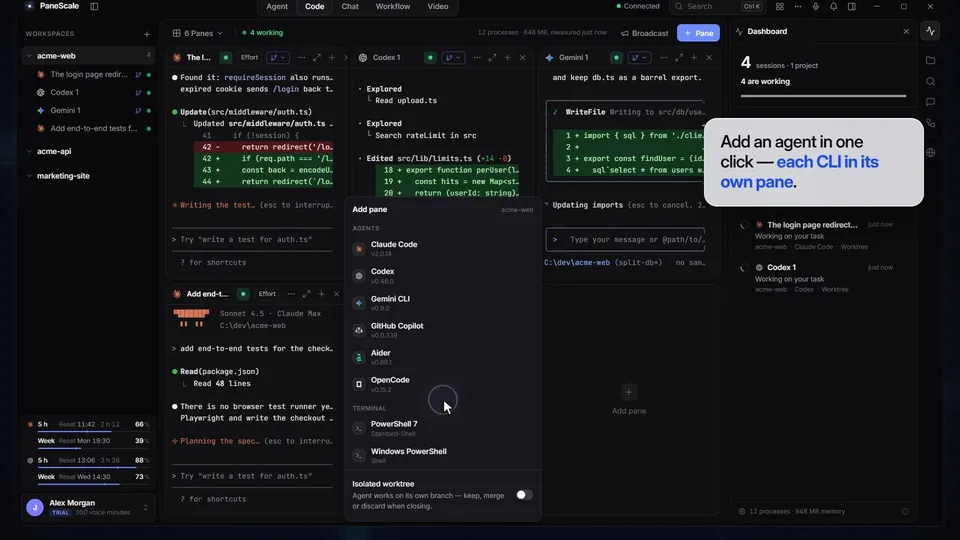
One window for every agent
Agents side by side in one project, a question answered right in the pane, one prompt to all.
 0:24
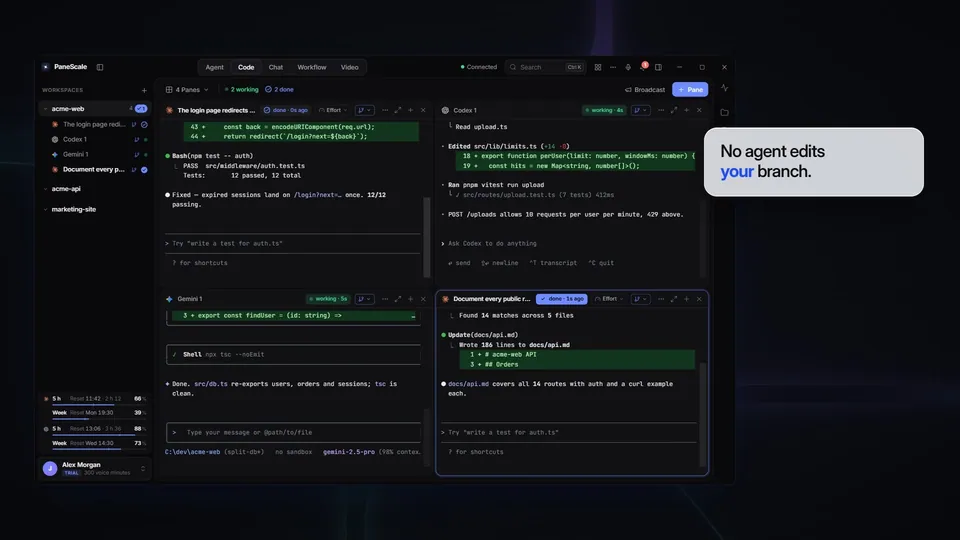
A worktree for every agent
Each agent works on its own Git branch. Review the diff, then keep, merge or discard — merging needs your one-time approval.
 0:24
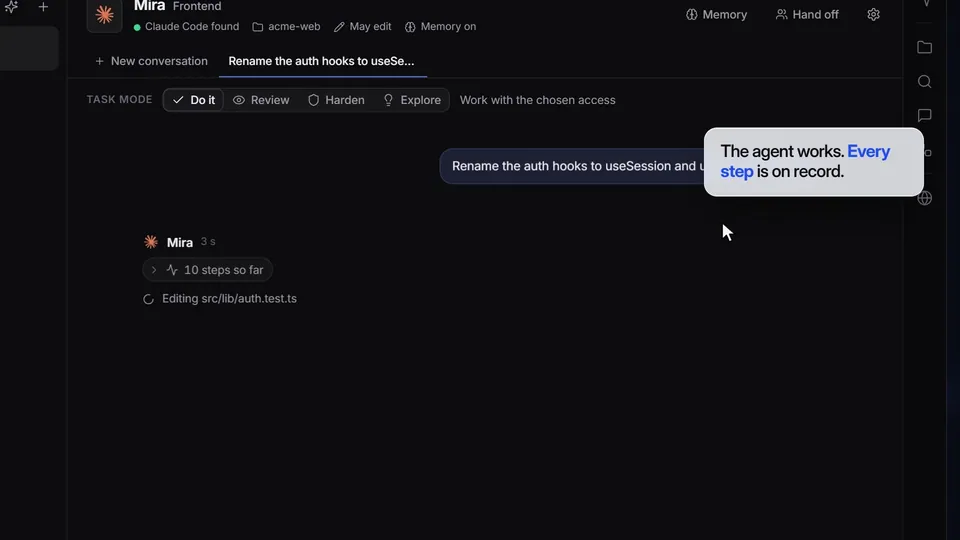
Undo for agents
A checkpoint before every agent step that can touch files, and a rewind that never overwrites your own edits.
 0:30
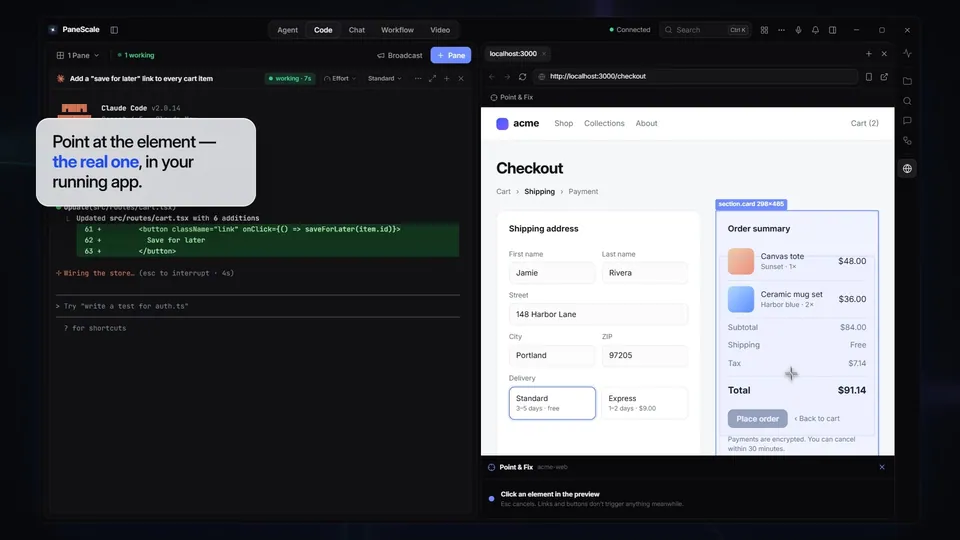
Point & Fix
Click the broken element in your running app, say what should change, apply with undo.
 0:27
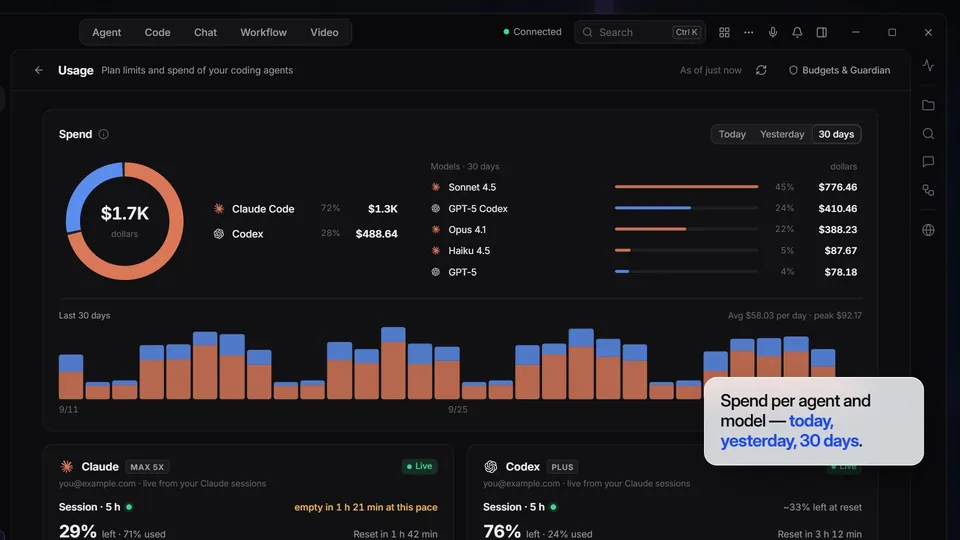
Token Guardian
Usage measured from the agents’ own logs, budgets that stop runs, loops caught early.
 0:33
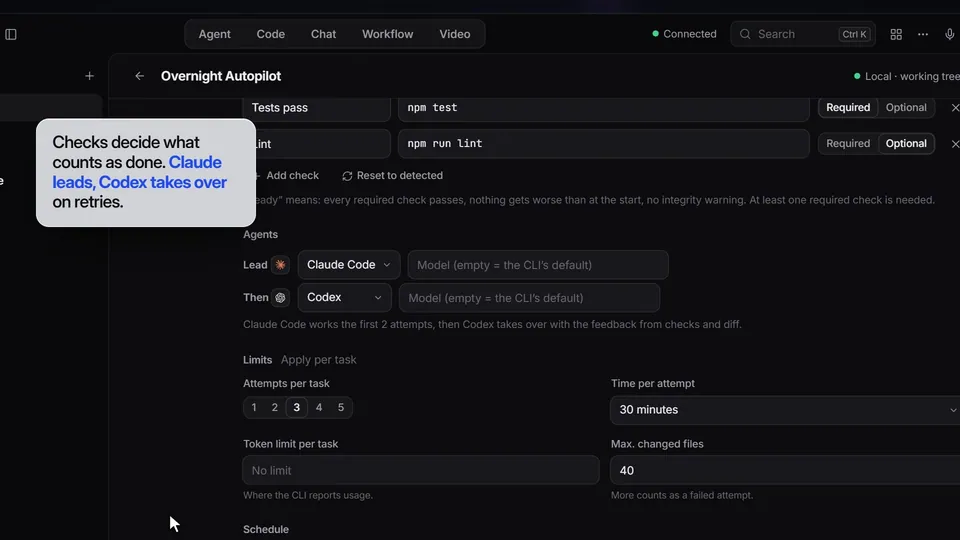
Overnight Autopilot
Queue tasks in the evening; wake up to diffs and a frozen report you can trust.
 0:26
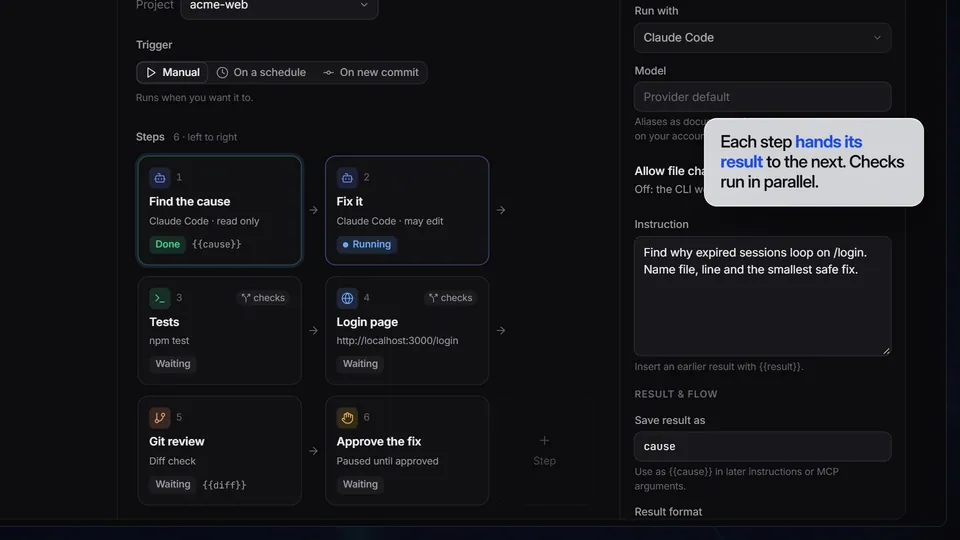
Workflow Studio
Coding agents, tests, browser checks, Git review and your approval — in order, on record.
 0:32
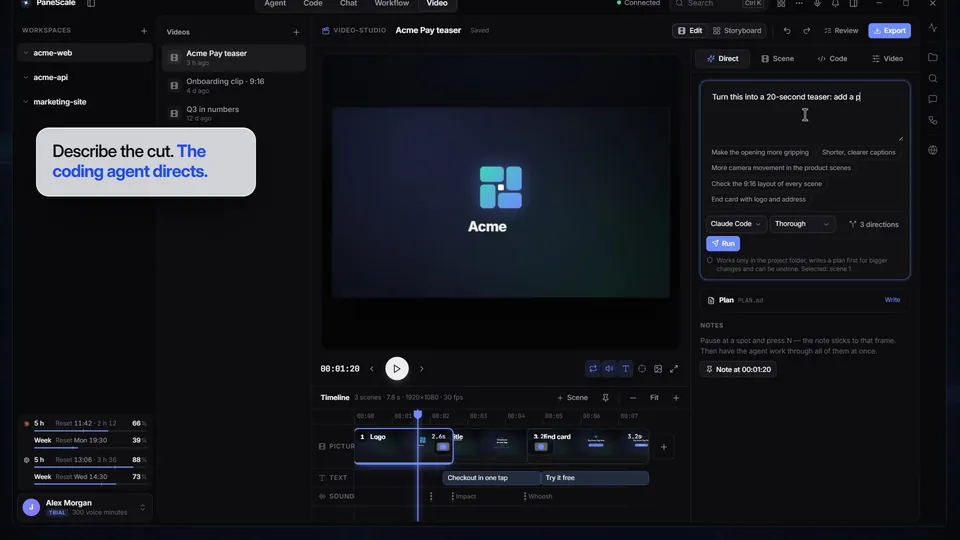
Video Studio
Product videos as code — scenes on a multi-track timeline, every format, rendered locally.
 0:27
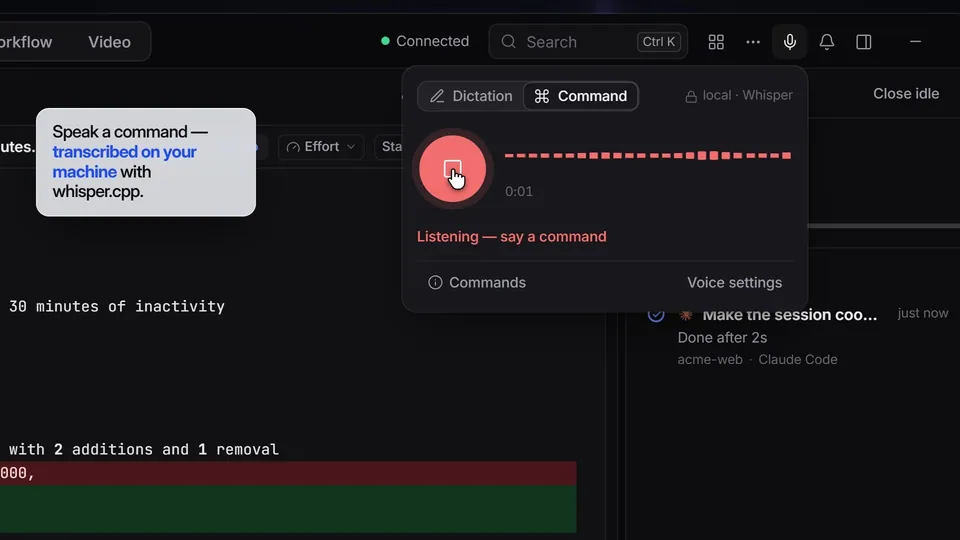
Voice
Speak a command or dictate a prompt — transcribed on your machine with whisper.cpp.
Seen enough? Try it on your own repo.
Install PaneScale, open a workspace and give each agent its own pane.